It seemed to be a requirement to attach a VM nic to a different bridge than the currently defined bridge.
Also, ovirt is not compatible with openvswitch to pick those bridges and attach a VM nic.
I have written a vdsm hook which will help you to achieve this.
The functionality has been pushed to upstream via
http://gerrit.ovirt.org/#/c/17895/
I would recommend you go through the README file above. How-ever here it is :
where:
macaddress: specify a macaddress which need to be attached to the VM brName : Bridge Name available in hypervisor portType : This have to either ‘ovs’ or ‘lb’ or ”
For ex:
macbind= 00:1a:4a:41:d2:5f-ovsbr0-ovs,00:1a:4a:41:d2:b8-br88-lb
Installation: * Use the engine-config to append the appropriate custom property as such: sudo engine-config -s UserDefinedVMProperties= ‘previousProperties;macbind=^.*$’ –cver=3.2
* Verify that the macbind custom property was properly added: sudo engine-config -g UserDefinedVMProperties
Usage: In the VM configuration window, open the custom properties tab and add macbind=
NOTE: Live migration is **not** tested.
You can mention these values as given in the image.
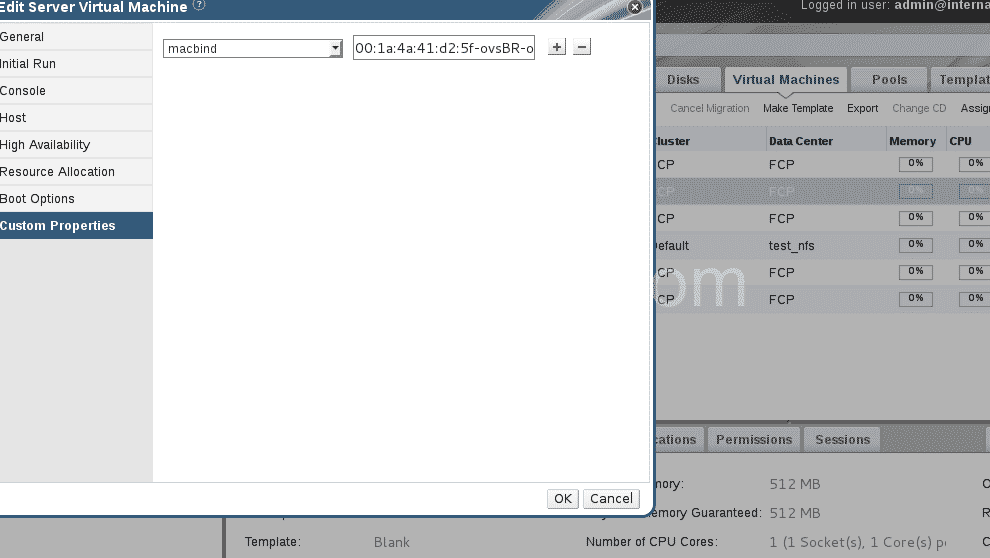
Once you do that when you run a VM, the specified mac addresses will be bounded to the bridges you mentioned.
If it is openvwitch (ovs’ as portType ) it will add extra xml entries into VMs xml file. You should make sure those bridges are present in your hypervisor.
if you specified ‘ovs’ as portType or 3 rd arg:
[xml]
[/xml]
If you specify ‘lb’ or ” as portType:
The given bridge will be replaced with current bridge:
xml
Please let me know your feedback !!
The contents website has is good but design and specially the adds make me feel quit immediately.
Hi Neha,
Thanks for your comment about content..
regarding “advs”, :
The advrstments are almost disabled here.. How-ever I believe, some social networking plugins + theme give the illusion.. Any way , I have tried to change the theme and will keep poking to make it better…
Thanks again!! Happy Browsing..