[go get] : “no buildable Go source files in the repo”

So, you are here with, “no buildable Go source files in the repo” error message.

Quick Solution :

# go get github.com/x/some-go-package/… ”

where “x/some-go-package” is for example, however pay attention to “…” part in the above command. It will get you all packages and their dependencies under that path. Because the error is caused by the absence of “go” files in the provided ( root) path. In this example there is no ‘go’ files in ‘x/some-go-package’. If the issue is still not resolved please leave a comment.

Docker gotchas ( 3 . docker Save Vs Export . Whats the difference between them ?)

Well, Everyone want to save the image or container after some amount of work on the container. When looking for the options they see there are mainly 2 options.

#docker save
#docker export

Along with the above commands, the follow-up commands are also available which are:

#docker load
#docker import

Now, you are confused about which one to use?. It’s simple: The docker save and export commands are used for saving, but what? Its simple, docker export save the container and docker save do it for the image.

In short: save is for the image, export for container.

When docker export is used, some type of merging happening under the hood and the outcome is a single flat layer. You lose the history and metadata of the build process of the container.

However in docker save, the history is maintained. Which one to use? Up to you, based on your use case. One other difference is that the export tar will be less in size compared to ‘save’d tar, obviously because the save carries the history and metadata with it.

Docker gotchas ( 2. Docker build with –no-cache)

There is always a misconception that when you build an image from the docker file in a frequent interval, which has base image defined something like below, the base image updates ( for example a CVE or vulnerability fix) are by default pulled into your newly built image. This is wrong!

For example:

FROM fedora21

Docker uses the caches when building and when there is no change in the instructions of Dockerfile, docker skips doing an update of the image to the latest version.
To avoid/overcome this, remove the cache in the build process! but, how? below is the method you can use to remove the cache while building docker image.

#docker build -no-cache .

GlusterFS Bangalore Workshop

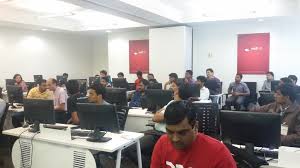
An introductory workshop on GlusterFS was held at Red Hat, Bangalore office (http://www.meetup.com/glusterfs-India/events/225770608/ ) on 31st October. Around 15 people turned up for the event. There were admins, DevOps and a few developers. As requested on the meetup page, the participants had turned up with their laptops to experience the awesomeness of Gluster!!

We started with a self-introduction. Then CentOS VM images containing pre-installed gluster packages were distributed. While the participants were deploying VM images, a brief introductory talk on GlusterFS was held. Prashanth Pai explained basic Gluster terminologies, various types of volumes, replication, geo-replication etc.

This was followed by a basic demo by Poornima which taught the participants to create a cluster, create different types of volumes, mount volumes etc.

Few participants were keen on using GlusterFS volumes over NFS and also in other cloud use-cases such as setting up GlusterFS + NFS HA cluster in AWS deployment. Further, Aravinda explained the advantages of using geo-replication for async replication.

The workshop was overall well received and we were glad to receive requests to conduct more GlusterFS Workshops!! You can read some feedback about this event here. Thanks to all speakers & attendees.

ps# If you would like to receive notifications about the upcoming GlusterFS meetups/workshops happening in India, join our meetup group http://www.meetup.com/glusterfs-India.

Gluster volume plugin of docker !!

Does gluster volume plugin available for docker?

Yes, its available here .

This article talks about how to use this plugin and make use of gluster volume when spawning docker containers.

For the gluster volume plugin to work, we need an experimental build of docker which can be fetched from docker Github. If you dont have the experimental binary of docker running in your system get it from docker Github.

https://github.com/docker/docker/tree/master/experimental have instructions on how to run docker experimental binary.

Once your docker daemon is running from the experimental build, pull gluster volume plugin from github source.

[root@dhcp35-20 go]# go get github.com/calavera/docker-volume-glusterfs

As mentioned in the README file in github, you need to execute ‘docker-volume-glusterfs’ as shown below. That said, here the IP, “10.70.1.100” is my gluster server which export a replica volume called ‘test-vol’. For more details on gluster volume types and configuration please refer http://gluster.readthedocs.org/en/latest/ .

[root@dhcp35-20 go]# docker-volume-glusterfs -servers 10.70.1.100
[root@dhcp35-20 check1]# ps aux |grep docker root 7674 0.0 0.0 7612 1596 pts/13 Sl+ 12:47 0:00 ./docker-volume-glusterfs -servers 10.70.1.100 root 8169 0.0 0.3 558828 29924 pts/14 Sl 12:52 0:00 ./docker-latest daemon

Once its done, we can spawn containers as shown below, where ‘test-vol’ is the gluster volume name and “/b1” is the mount point in spawned container, ‘docker.io/fedora’ is the image name.

‘touch /b1/second” create a file called ‘second’ in “/b1” mount point.

[root@]# ./docker-latest run -it –volume-driver glusterfs –volume test-vol:/b1 docker.io/fedora touch /b1/second

INFO[4891] POST /v1.21/containers/create INFO[4892] POST /v1.21/containers/b3b61146188db97e3b2c96e1ae38dc53478287d557e24a26b0dcbf09be68140a/attach?stderr=1&stdin=1&stdout=1&stream=1 INFO[4892] POST /v1.21/containers/b3b61146188db97e3b2c96e1ae38dc53478287d557e24a26b0dcbf09be68140a/start INFO[4892] POST /v1.21/containers/b3b61146188db97e3b2c96e1ae38dc53478287d557e24a26b0dcbf09be68140a/resize?h=46&w=190 INFO[4892] GET /v1.21/containers/b3b61146188db97e3b2c96e1ae38dc53478287d557e24a26b0dcbf09be68140a/json

Let us verify whether the file creation worked successfully and the new file (second) is available in the brick path of gluster server node.

From ‘test-vol’ volume details, we can see that “/home/test-brick1” is one leg of replica volume in my setup.

Volume Name: test-vol Type: Replicate Volume ID: 2cebb33f-e849-40c1-9344-939025f80b1f Status: Started Number of Bricks: 1 x 2 = 2 Transport-type: tcp Bricks: Brick1: 10.70.1.100:/home/test-brick1 Brick2: 10.70.1.101:/home/test-brick2 Options Reconfigured: performance.readdir-ahead: on You have new mail in /var/spool/mail/root [root@dhcp1-100 test-brick1]#

[root@dhcp1-100 test-brick1]# pwd /home/test-brick1 [root@dhcp1-100 test-brick1]# ls second

Awesome !! Isn’t it?

Thanks https://github.com/calavera for the plugin & Thanks neependra for pointers.

Announcing Open Source Virtualization India meetup group

We are glad to announce the Opensource Virtualization India meetup group!! Its been long time we are answering/discussing virt related queries via emails or irc, so the effort to bring virtualizers under one group.

This is a forum which discuss about various opensource Llinux virtualization technologies like Xen, KVM, Ovirt..and the friends libvirt, virt-manager..etc

If you would like to be part of it, please join http://www.meetup.com/open-virtualization-india/

We have scheduled 3 meetups ( Bangalore, Pune, Aurangabad) for near future, yet to decide the exact dates though.


Pune – Organizer: Anil Vettathu

Aurangabad – Organizer: Ashutosh Sudhakar Bhakare

Please let me know if you would like to volunteer for any of the meetups in your area.

** Welcome Virtualizers!! **

Fedora 21 Release Party in Bangalore!

As part of F21 release celebration, fedora community members in Bangalore are organizing a ‘release party’. More details about the event at [1]

We invite you all to join us for the same and add charisma to this event! Kindly update the wiki page with your details (you’ll have to login at [2] for that) and let us know if you’re interested in giving a talk. In case you’re unable to update the page, send an e-mail to one of the organizers with your details.

References:
[1] fedoraproject.org/wiki/Release_Party_F21_Bangalore
[2] fedoraproject.org/w/index.php?title=Special:UserLogin&returnto=Release+Party+F21+Bangalore

Hope to see you there!

GlusterFS India Meetup – Bangalore

It’s been a while since we conducted GlusterFS meetups in India. Obviously we selected Red Hat Bangalore office (www.meetup.com/glusterfs-India/events/197675922/ ) as a kickoff place for its second avatar :). It was conducted on 21st Nov 2014. Yes , its a Friday. Most of the meetups happens on weekends, here in Bangalore, but we took an exception here. More or less, we thought of capturing the real minds interested in Gluster File system. 40 slots were opened and the slots were full with people ranging from Developer to Devops & Consultants!

There were 4 talks scheduled which discussed GlusterFS and its integration with other emerging technologies.

GlusterFS 3.6 and GlusterFS next.
GlusterFS monitoring using nagios
GlusterFS Snapshots
GlusterFS & Openstack

We started the event by 2:00 PM. It started with a quick welcome note by Vijay Bellur, followed by a presentation on “GlusterFS 3.6 and GlusterFS next” by Krishnan (KP). Krishnan started with a quick introduction of GlusterFS and gave an overview of important features of GlusterFS 3.6 release. Later he talked about the features we are planning to have in next GlusterFS version.

The slides can be found here!

[gview file=”https://www.humblec.com/wp-content/uploads/2014/11/GlusterFS-3.6-next-updated.pdf”]

Next session , GlusterFS monitoring using Nagios was delivered by Nishanth Thomas. Nishanth started with, an overview about nagios. Later he covered the GlusterFS extensions and the plugins available for nagios monitoring of GlusterFS. He wrapped his session by a demo on what statistics can be collected and the reports it generates.

The slides can be found here:

[gview file=”https://www.humblec.com/wp-content/uploads/2014/11/Gluster_Nagios_Monitoring_1.pdf”]

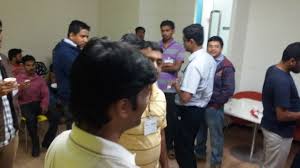
Yes, its time for snacks 🙂 , and a good time for networking. The interaction happened between different groups and it helped the outsiders to interact with the GlusterFS devels and talk about the challenges and feedback on GlusterFS.
lex

After taking 25 mins break ,we resumed with a session on GlusterFS snapshots. Rajesh, core contributor of snapshot team delivered this presentation. Rajesh spoke about Snapshot mechanism , LVM thin pool concepts and the volume level snapshots which is available now with GlusterFS . He also talked about how to work with GlusterFS snapshots.

The slides can be found here:

[gview file=”https://www.humblec.com/wp-content/uploads/2014/11/Gluster-Volume-Snapshot-3.pdf”]
Time for last talk! its all about GlusterFS and Openstack. The openstack integrations team ( Deepak, Ramana Raja, Prasanth, Bharat) together delivered this session.

In this talk, Deepak and Ramana talked about how glusterfs can be used with Manila, a project which is in incubation. Prashanth spoke about the work happening on SwiftOnFile and how GlusterFS can be used as a backend for Openstack Swift. He also covered the storage policies feature of Swift. Bharat talked about the cinder driver implementation for GlusterFS. The scalability of Openstack Storage can be really expanded with GlusterFS as one of the backend file system. The community attendees got a feel of importance of GlusterFS in OpenStack ecosystem and also how new open source technologies can leverage each others’ communities.

The slides can be found here.

[gview file=”https://www.humblec.com/wp-content/uploads/2014/11/Glusterfs_and_openstack.pdf”]
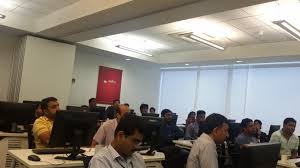
I was really thrilled to see a packed audience and the questions raised by the participants. Those questions were really thoughtful and deserved quality answers. We were really happy to see the enthusiasm and the energy on this event.

As an organizer, I am really happy and looking forward to having more meetups in the future. We should do more events, especially when the request comes from the participants itself.

Big Thanks to all the speakers , participants and Red Hat for organising such a great meetup!!
lex

lex

Dockit & Docker Global Hackathon.

Dockit was one of the project in Docker Global Hackathon held on Nov 1 2014. As part of hackathon submission, I have prepared 2 mins video of Dockit and its here. I would request you to cast your vote by facebook like/tweet/g+1 after searching for “Dockit” @ https://www.docker.com/community/globalhackday

References:
https://github.com/humblec/dockit/
http://blog.gluster.org/category/filesystems/